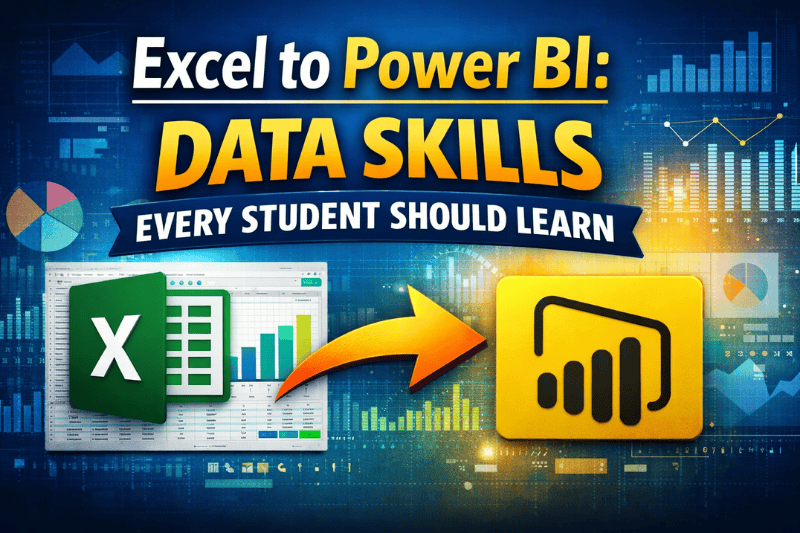
Excel to Power BI: Data Skills Every Student Should Learn
 Learning Management System by Prayug Editor | Feb 7, 2026


Even if you are a student – B.Com, BBA, engineering or arts – chances are, you have opened Excel at least once for your assignments/project, marksheet and basic calculations.
But here is a question on careers in 2026 India:
“Excel gets you started… but Power BI gets you hired.”
- Let’s be honest.
- Excel is ubiquitous — but it isn’t everything.
- Power BI is the tool that businesses use for interactive reports, dash boards and business insights.
- Data analytics jobs in India are booming, and freshers having skills of Power BI can secure jobs that pay ₹4–8 LPA while they were still studying.
Let me share with you a truth that I want you to clearly hear:
Excel – first, then Power BI The reason is that those two bring you through the door to a career in data / Analytics that’s high demand, high paying and future proof.
Why Data Skills (Excel + Power BI) Are a Must for Every Student in India
The data-analytics wave is washing over India.
From IT giants and start-ups to banks, E-commerce and manufacturing — every company is looking for individuals who can:
- Make raw numbers tell visual stories
- Spot patterns and trends fast
- Design reports that both bosses and clients can comprehend
Job market reality in 2026
- Hundreds of entry-level data roles require Excel, SQL, and Power BI as core competencies.
- Freshers with dashboards, projects get interview ahead of theoratical people.
- Starting salaries are ₹25,000 – ₹40,000/month for freshers and can go up to as high as ₹8–₹15 LPA after 2 years.
Meanwhile, jobs that don’t require data skills are stagnating or being automated out of existence.
Excel is your foundation. Power BI is your launchpad.
First Thing to Understand: Excel Is Your Starting Point, Not the End
Excel is an ideal first foray into dataskills.
But when it comes to large data, real-time updates and interactive reports, it does have its boundaries.
What Excel teaches you (and why you need it):
- Data cleaning essentials (sorted, filtered, duplicates removed).
- Functions and Formulas: SUMIF, VLOOKUP, PivotTables.
- Simple charts and rudimentary analysis for assignments or small data sets.
Excel job roles for students/freshers:
- MIS Executive
- Data Entry + Reporting
- Junior analysis in small companies
But to transition into actual data careers, you need Power BI.
Power BI: The Game-Changer Every Student Needs
Power BI takes all your Excel knowledge and makes it professional, interactive, and scalable.
Why Power BI is a must-learn:
- Deals with big data: Taps into Excel, SQL, cloud sources and even real-time feeds.
- Interactive dashboards: Clients, in general, can’t get enough clickable charts, drill-downs and slicers.
- DAX formulas: Sophisticated calculations that transcend the capabilities of Excel.
- Cloud sharing: Publish reports online for broad consumption or to collaborate with teams.
Power BI job roles for freshers:
- Data Analyst
- BI Developer (Junior)
- Dashboard Specialist
- Business Intelligence Intern
In India: Just Power BI skills can fetch you interviews at TCS, Infosys, Accenture (I have personally experienced this), banks and ecommerce companies.
Excel to Power BI: The Natural Skill Progression
You don’t go from Excel, Basics to Power BI, Advanced.
It is a smooth progression.
Phase 1: Master Excel Basics (1–2 months)
- PivotTables, formulas and data validation.
- Charts, filtering and formatting conditionally.
- Little projects: other report, student marks analyzer.
Phase 2: Learn Power BI Fundamentals (1 month)
- Import Excel/CSV data.
- Power Query for cleaning (It’s Excel, but better).
- Simple graphics: bar, line, map.
Phase 3: Intermediate Power BI (1 month)
- Data modelling: linking tables together.
- DAX: calculated columns, measures (SUMX, CALCULATE).
- Interactivity (slicers, drill-through).
Phase 4: Build Portfolio Projects (Ongoing)
- Sales dashboard for retail company.
- Student tracker of overall performance.
- COVID/election data crunching.
Phase 5: Add SQL Basics
- Basic queries to import data into Power BI.
- Makes you even more hirable.
Best Data Career Paths for Students with Excel + Power BI
These skills open multiple doors:
Data Analyst – The Safest Entry Point
Why It Works:
- Strong cross-industry demand.
- 70% of the job is Excel + Power BI.
- ₹4–7 LPA for -starting salary.
What You Learn/Do:
- Cleaning and analysing data.
- Develop reports and dashboards for monthly use.
- Share insights with management.
MIS Executive / Reporting Analyst
- Concentrated Excel automation + Power BI reports.
- Ideal for commerce students.
- Steady corporate jobs.
Business Analyst (Entry-Level)
- Blend data expertise with business knowledge.
- Client presentations in Power BI dashboards.
- Scaling up to 10+ LPA in 2 years.
“Just as you can build a PivotTable in Excel, you can build a dashboard in Power BI.”
Step-by-Step Roadmap: From Excel Student to Power BI Professional
Step 1: Strengthen Your Excel Foundation
Do not skip this. Learn PivotTables, vlookups and charts on real data sets.
Step 2: Download Power BI Desktop (Free)
Begin with the basics: loading data, importing packages, and creating a simple visualization. Follow Microsoft’s free tutorials.
Step 3: Learn Through Live, Guided Training
Self-study often fails because:
- No structure
- No projects
- No snapshots on your dashboards
Live classes + mentors = confidence quicker.
Step 4: Build 4–6 Portfolio Projects
Certificates impress less.
Dashboards impress more.
Share on LinkedIn, GitHub.
Step 5: Prepare for Interviews
Expect questions on:
- “Walk me through this dashboard.”
- “Clean up this dirty dataset.
- “Please write a DAX measure.”
How Prayug Helps Students in Excelling from Excel to Power BI
Prayug understands the fact that data skills have to be practiced hands-on, and not through just videos.
What Prayug Offers:
Data analytics real-time live training for college students:
- Step-by-step mastery of Excel (advanced formulas, PivotTables, automation).
- Power BI basics to dashboards (Power Query, DAX, Publishing).
- Hands-on exercises with real Indian datasets (sales, finance, e-commerce).
- Project Based Learning: Build 5+ portfolio dashboards.
- Feedback from mentors about your visuals, logic and storytelling.
beyond resume + interview prep with data role mock interviews.
You don't get lost in complex DAX.
There are no unnecessary esoteric theory.
You develop skills that get you hired.
A Realistic Timeline (No Fake Promises)
Month Progress
| Month 1 | Excel expert + Introduction to Power BI |
| Month 2 | Data modeling+DAX+first dashboard |
| Month 3 | Higher-termediate projects + portfolio + interviews |
Data careers are a marathon, not a sprint.
Quotes Every Aspiring Data Student Should Remember
“Apni future ka kya bana doubt hai, marksheet? Your dashboards are.”
“Everyone started with VLOOKUP. Keep practicing.”
“The only bad move is not to start a project today.”
Final Words – Are Data Skills Right for You?
Yes – if you:
- Enjoy numbers, patterns or solving puzzles.
- Are interested in flexible, high-paying jobs (remote options included).
- Want to train with actual data.
- Take guided training to steer clear of the common pitfalls.
No – if you:
- Keep waiting for perfectly polished courses.
- No construction projects: Fanwicks aren’t settling next to stinglunks on fault lines.
- Believe that data is something only engineers can work with.
Excel is not a wall.
It is your starting point.
If you are ready to Excel in your Power BI and data career –
now is the right time.
Top Blog Posts